


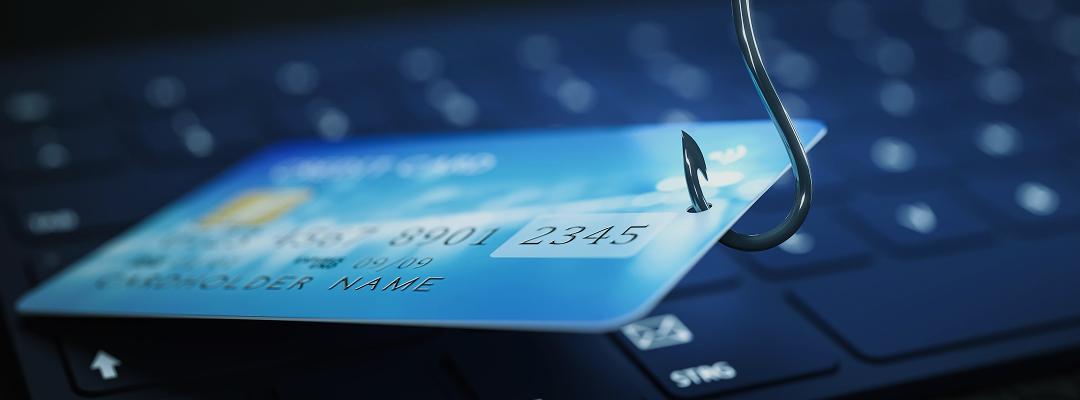
Your Guide to Spotting and Stopping Phishing Attacks
You've probably experienced it and interacted with it unknowingly – and sometimes you might have felt something was a little off. That little ping on your phone, an email landing in your inbox from a known or unknown person – this is what we're talking about. Phishing attacks.
Lately, we've seen a noticeable increase in suspicious emails and WhatsApp messages, some even coming from unfamiliar international numbers or people pretending to be critical company stakeholders, claiming there's an urgent activity that usually requires a transaction to be completed.
So here's the thing: every single one of these messages is a fishing line cast to lure us, and all it takes is one bite – one click, one reply, one shared piece of information – that can escalate into a major problem for you, your colleagues, and our entire company.
Let's talk about how to spot these attempts and, more importantly, how to defend ourselves together.
What is Phishing
Let me help you break it down. For the uninitiated – it's an innocent-looking but sophisticated social engineering tactic where cybercriminals try to trick you into revealing sensitive information (like passwords, credit card numbers, or personal data) or installing malicious software, usually by impersonating a trustworthy person or entity. Think of it like this: A hacker isn't trying to break down our digital doors with brute force. They're trying to trick us into opening them ourselves using our emotions through fear, urgency, curiosity, or even greed.
Let's Help You Set Up a Shield and Check for RED Flags
Before you click, before you reply, take a deep breath and ask yourself these questions:
Check the Sender (REALLY Check It!):
Email: Is the sender's email address exactly who you expect? Not just the name, but the actual address (e.g., support@amazon.com vs. support.amazon@gmail.com or amaz0n-services.co). Look for typos, extra letters, or unusual domains. Even if it looks like a colleague, check their specific email address.
WhatsApp/SMS: Do you know this number? Is it a sudden, unsolicited message from an unknown international number (like those from Europe or US ones we're seeing)? Be extra wary if they claim to know you.
Inspect the Link (Without Clicking!):
Hover, Don't Click: On a computer, hover your mouse over any link without clicking. A small pop-up will usually show the actual URL. Does it match the company it claims to be from? Look for irregularities.
On Mobile: A long-press on a link will often show you the full URL without opening it. If it looks suspicious, don't click or tap on it.
Look for Red Flags in the Message Itself:
Urgency or Threats: Usually, these messages demand immediate action. "Your account will be suspended in 24 hours!" "Click now or face legal action!" – Something like this is what we usually get on our socials and emails. Phishers love to create panic and it's easy to spot.
Grammar & Spelling Errors: With AI content around, it's very hard to spot a typo or awkward phrasing, but we are pretty sure that this is not always the case. Like every crime has a giveaway, this one should too.
Unusual Requests: Is it asking for sensitive information (passwords, bank details) that an organization would never request via email or chat? Or asking you to buy gift cards? The last one is frequent.
Generic Greetings: "Dear Customer" or "Dear User" instead of your actual name could be a phishing attempt.
A Stuck Package or Lottery Won by You?
A massive lottery win? A sudden, urgent payment request? Your package is stuck in customs and needs your bank details like NOW? The list goes on, but these are our top recommendations to stay away from.
What Happens if You Did Click on One of Them?
So, you accidentally clicked on one of those random WhatsApp messages? You probably felt nothing.
The reality is there could be hidden consequences:
- For You Personally: Identity theft, financial loss, compromised personal accounts.
- For the Company:
- Data Breaches: Hackers could access confidential company information, client data, or proprietary secrets from your device if your login credentials are somehow stolen/mirrored.
- Ransomware: A popular MIM (man-in-the-middle attack) that encrypts our entire network. It has brought operations to a halt and can cost a lot to recover your company infrastructure.
- Financial Fraud: Phishing can lead directly to wire transfers or invoice scams, potentially draining company funds.
- Reputational Damage: This is the worst of all and can severely damage our reputation and client trust.
What To Do If You Suspect Phishing
- DO NOT Click Any Links or Open Any Attachments.
- DO NOT Reply to the Sender.
- Report It Immediately
- Delete It: Once reported, delete the message from your inbox or chat history.
Remember: You are the front line of defense. Even the smartest firewalls in the world can't stop a human who willingly opens the door.